
ProcurementApprovals
Your approvals inbox
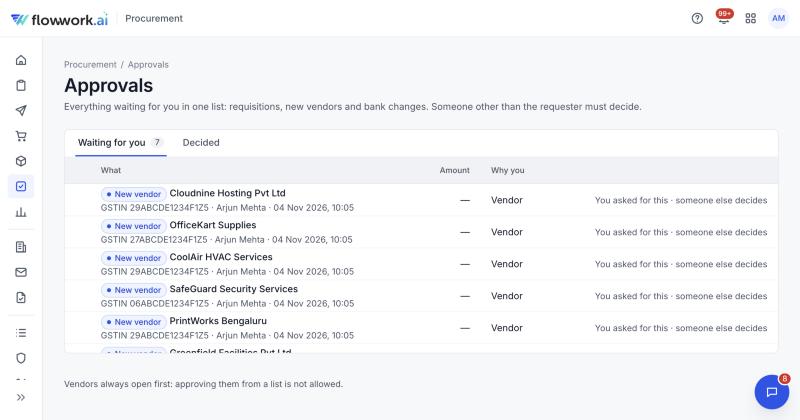
Approvals lists everything in Procurement that's waiting for your decision: requisitions, purchase orders, new vendors and vendor bank account changes. You can approve requisitions and purchase orders straight from the list, one at a time or several together, or open them first.
Before you start
- You see Approvals in the menu if you can approve purchases, approve vendors, raise requisitions or manage purchasing. Otherwise, open the request from its bell notification or email.
- You're asked to decide because an approval rule names you, or because you're the requester's reporting manager or the department's head. You don't need a special permission for that.
- You need some access to Procurement to open it at all. If you see Procurement isn't turned on for you, ask your admin.
What lands here
- Requisitions and Purchase orders that wait on a step you're an approver of.
- New vendors and Bank changes, if you can approve vendors. See Approve a vendor.
Each row shows what it is, its number, who asked and when, the amount, and Why you: the name of the step you're asked on, for example "Manager" or "Over ₹5,00,000".
Read the full guide with your flowwork account
The rest of this page has the steps, screenshots and tips. Anyone at a company that uses flowwork can read every page, and ask the Help assistant about it.
Every step, in order Real screenshots The agents that help
New companies use flowwork free until 31 December 2026