
ProcurementVendors
Approve a vendor
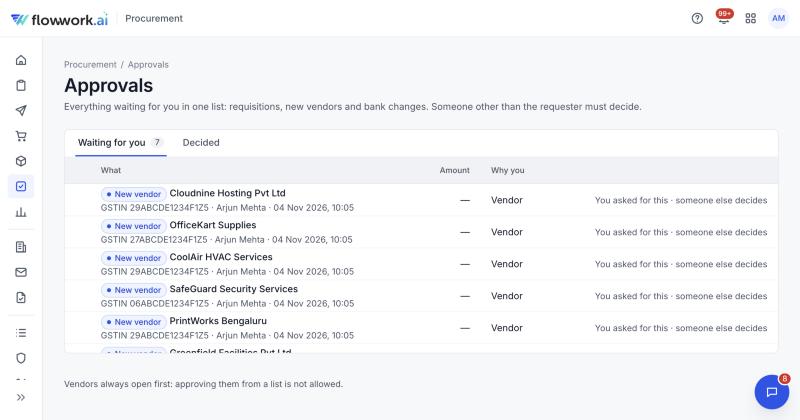
A new vendor must be approved before you can ask them for quotes or send them purchase orders. Someone sends the vendor for approval, and a different person with the approve vendors permission checks the details and approves or rejects it.
Before you start
- To send a vendor for approval you need manage vendors or approve vendors.
- To approve or reject you need approve vendors. The Procurement Administrator and Finance manager roles have it; Procurement Buyer doesn't.
- The vendor needs a company name and a GSTIN or PAN before it can be sent.
- There are no approval rules for vendors: every vendor goes to the people with approve vendors. Setup › Approval rules › Vendors says so.
Steps: send a vendor for approval
- Open the vendor (status Draft or Rejected).
- Check the details, and add the bank account on the Bank tab.
- Select Send for approval.
You can also select Send for approval at the end of Add without invite. A vendor who was invited sends their own details from the vendor portal. Their profile then arrives as Waiting for approval in the same way.
Read the full guide with your flowwork account
The rest of this page has the steps, screenshots and tips. Anyone at a company that uses flowwork can read every page, and ask the Help assistant about it.
Every step, in order Real screenshots The agents that help
New companies use flowwork free until 31 December 2026