
ProcurementSetup
Procurement settings
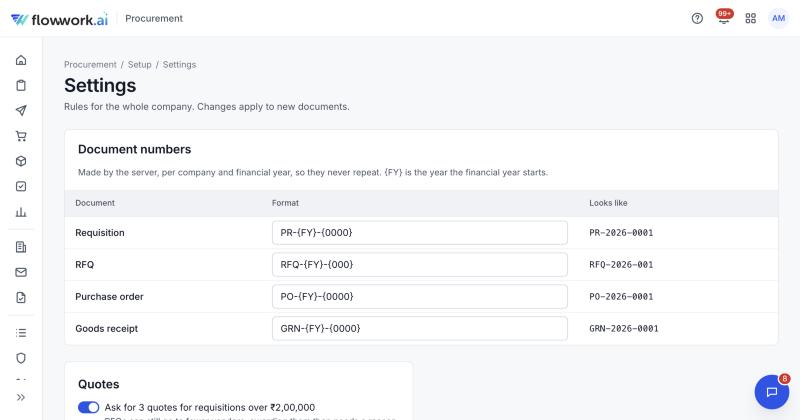
Settings holds the rules for your whole company: how documents are numbered, when buyers must collect several quotes, your delivery locations and GSTINs, purchase order terms, how much more than ordered may be received, your GST state, the vendor portal file key and the head of each department. Changes apply to new documents.
Before you start
- Settings is under Setup in the menu. You need Manage procurement settings.
- Departments come from People. Add a department there first if it's missing.
- Everyone in Procurement reads these settings (for example the locations on a purchase order), but only you can change them.
Steps
- Open Setup › Settings.
- Change what you need in the cards below.
- Select Save settings at the bottom. Discard changes puts back what was saved.
Everything except the Vendor portal card is saved together with Save settings. Locations you add or edit are kept only after you save.
Read the full guide with your flowwork account
The rest of this page has the steps, screenshots and tips. Anyone at a company that uses flowwork can read every page, and ask the Help assistant about it.
Every step, in order Real screenshots The agents that help
New companies use flowwork free until 31 December 2026