
ProcurementRequisitions
Follow, change or withdraw a requisition
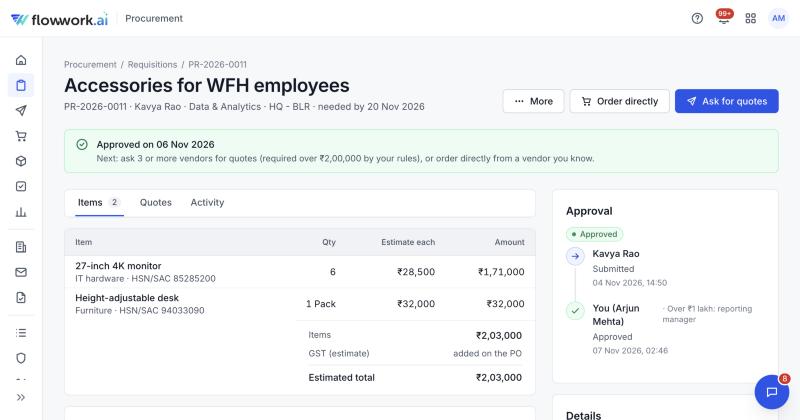
Every requisition has a page that shows what was asked for, who has approved it and what purchasing did next: the RFQ, the purchase order and its delivery. From the list you open your own requisitions; buyers see everyone's.
Who sees which requisitions
- You always see your own requisitions, including drafts.
- Buyers (people who can manage purchasing) see every submitted requisition in the company. They never see other people's drafts.
- Approvers can open a requisition they're asked to approve, from the Approvals inbox or the notification. It doesn't show in their requisitions list unless they're a buyer.
- Nobody outside your company can see your requisitions.
Read the full guide with your flowwork account
The rest of this page has the steps, screenshots and tips. Anyone at a company that uses flowwork can read every page, and ask the Help assistant about it.
Every step, in order Real screenshots The agents that help
New companies use flowwork free until 31 December 2026