
ProcurementDashboard and reports
The Procurement dashboard
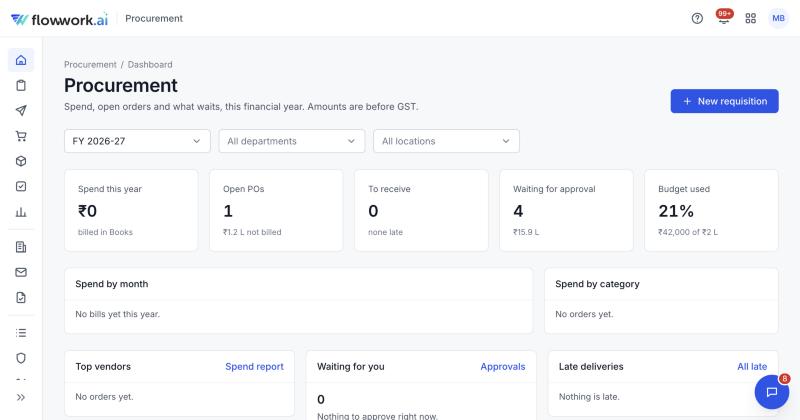
The dashboard is Procurement's home page. Buyers, approvers and admins see the company's spend, open orders, what waits for approval, late deliveries and budgets for a financial year. People who only raise requisitions or record receipts see their own requisitions and what waits for them.
Before you start
- You need one of these permissions: Raise requisitions, Manage purchasing, Approve purchases, Manage procurement settings or Record goods receipts. People who only see vendors don't get a dashboard; they open on Vendors.
- Money figures show only to people who manage purchasing, approve purchases or manage procurement settings. Everyone else sees the short version described under Your own figures.
- Open it from Procurement › Dashboard, or select the company logo at the top left.
Filters
At the top of the full dashboard you choose:
- Financial year: next year, this year or one of the last two (April to March). It opens on this year.
- Department: all departments, or one from People.
- Location: all locations, or one of the delivery locations in Settings. It looks at the order's ship-to location.
Every figure below follows these filters, except where it says otherwise. All amounts are before GST.
Read the full guide with your flowwork account
The rest of this page has the steps, screenshots and tips. Anyone at a company that uses flowwork can read every page, and ask the Help assistant about it.
Every step, in order Real screenshots The agents that help
New companies use flowwork free until 31 December 2026