
ProcurementSetup
Set up approval rules
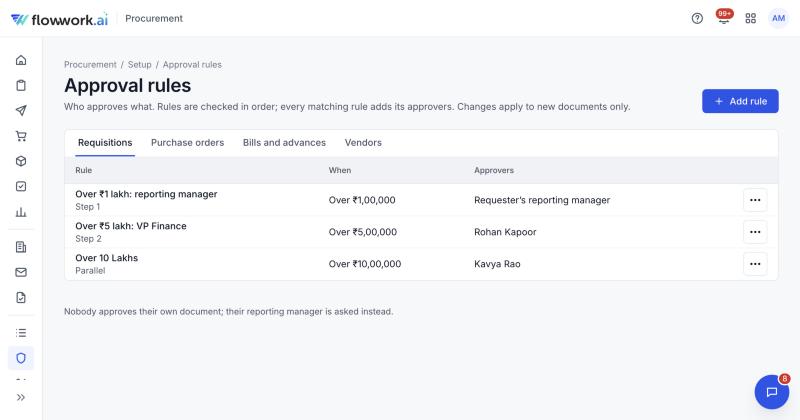
Approval rules decide who approves requisitions and purchase orders. Each rule says when it applies (always, over an amount, for some categories, departments or vendors) and who approves: the requester's reporting manager, the department head or people you pick. Rules are checked in order, and every rule that matches adds an approval step.
Before you start
- Approval rules is under Setup in the menu. Buyers (Manage purchasing) can read the rules. To add, change, reorder or delete them you need Manage procurement settings.
- For Department head rules, set the head of each department in Settings first. Departments come from People.
- For Reporting manager rules, people's reporting managers must be set in People.
- People you name in a rule should have the Approve purchases permission, so they see the Approvals inbox.
The tabs
- Requisitions and Purchase orders each have their own rules.
- Bills and advances has no rules here: vendor bills and advance payments are recorded and approved in Books.
- Vendors has no rules either: new vendors and bank account changes go to everyone with Approve vendors.
Read the full guide with your flowwork account
The rest of this page has the steps, screenshots and tips. Anyone at a company that uses flowwork can read every page, and ask the Help assistant about it.
Every step, in order Real screenshots The agents that help
New companies use flowwork free until 31 December 2026