
ProcurementQuotes (RFQs)
Ask vendors for quotes (create an RFQ)
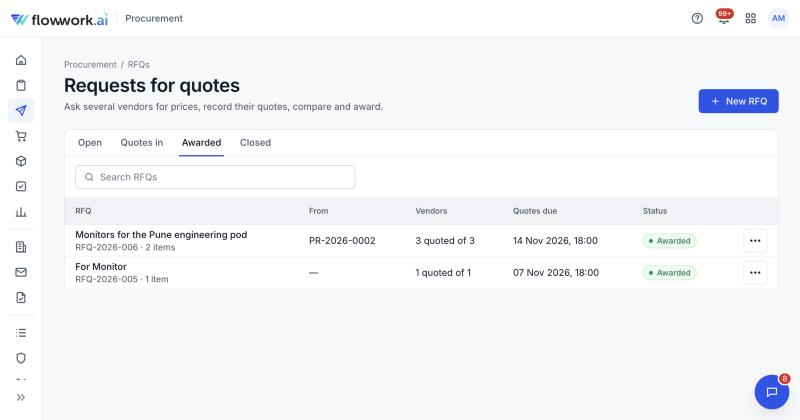
A request for quotes (RFQ) asks several vendors to price the same list of items. You usually start one from an approved requisition, pick the vendors and a due date, and send it. Each vendor gets an email with a link to quote in the vendor portal.
Before you start
- You need permission to manage purchasing (the Procurement Buyer role has it). Only buyers see RFQs.
- The vendors must be Active in Vendors. Draft, pending or inactive vendors can't be asked.
- To start from a requisition, it must be Approved.
Steps
- Open the approved requisition and select Ask for quotes. Or go to Procurement › RFQs and select New RFQ for an RFQ without a requisition.
- Check the Title. It's copied from the requisition. Up to 120 characters.
- Under Vendors, pick the vendors to ask. The requisition's preferred vendor is already picked.
- Choose Quotes due and a Time (18:00 unless you change it). The default is three days from today.
- Choose Delivery by if you need it by a date. It's copied from the requisition's needed-by date.
- Under Vendors see, choose Item and quantity only (recommended) or Also our estimate.
- Check the Items. They're copied from the requisition, and you can change, add or remove lines.
- Add Terms if you want, for example "Prices including delivery. Payment 30 days after delivery."
- Select Send to 3 vendors (the number of vendors you picked), or Save draft to send it later.
Read the full guide with your flowwork account
The rest of this page has the steps, screenshots and tips. Anyone at a company that uses flowwork can read every page, and ask the Help assistant about it.
Every step, in order Real screenshots The agents that help
New companies use flowwork free until 31 December 2026