
Leave planner
For every employee. Tell it when you'd like time off, for example "can I take 3 days next week?" or "4 days off around Diwali", and it suggests the best dates and the leave type to use, with reasons. It checks your balances, each leave type's rules, your holidays and weekly offs, and who in your team is already away. When you pick an option, it drafts the leave request. Nothing is applied until you confirm.
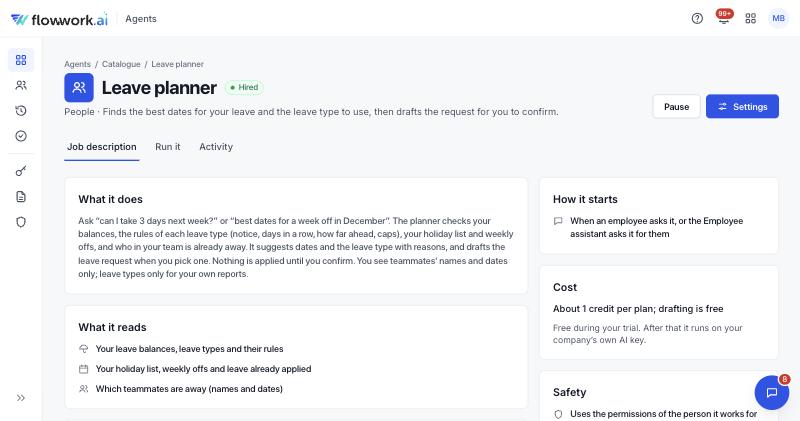
What it does
With your own login, it reads from People:
- the leave types you can use, your balance in each, and each type's rules: notice needed, days in a row, how far ahead you may apply, minimum days, negative balance, valid-until date and proof
- your holiday list, weekly offs and leave you have already applied for
- who in your team is away: people with the same manager as you, and your own reports
For each set of dates it tries your leave types in turn, checks the type's rules, and then asks People to work out the leave days for those dates. People has the final word, so an option that People would refuse isn't offered. It shows up to three options. Each says how many leave days it uses, how many days off in a row you get with weekends and holidays, and how many teammates are away then.
Read the full guide with your flowwork account
The rest of this page has the steps, screenshots and tips. Anyone at a company that uses flowwork can read every page, and ask the Help assistant about it.