
PeopleSettings
General settings
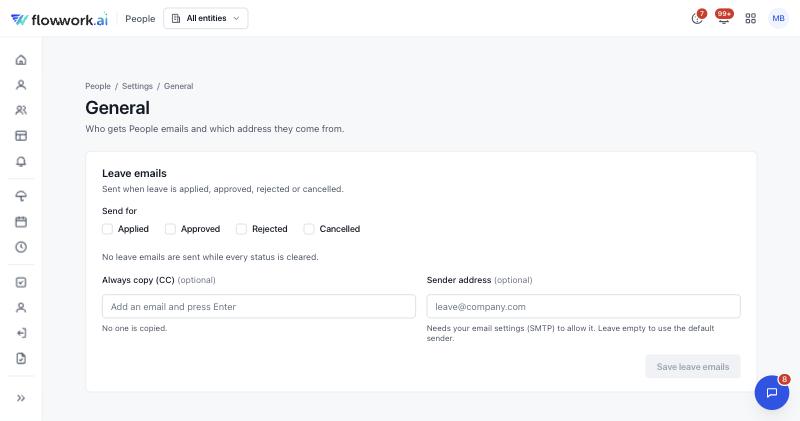
General decides who is copied on People's leave emails and Recruit's offer emails, and which group address gets the birthday and work anniversary emails. Each card has its own save button.
Before you start
- You need Access settings. See Who can do what.
- These are company-wide settings. Recruit's settings show the same offer copy list, so a change in one place shows in the other.
Add or remove email addresses
The Always copy (CC) fields take several addresses:
- Type an address.
- Press Enter or a comma, or click outside the field. The address becomes a chip.
- To remove one, select × on its chip, or press Backspace in the empty field to remove the last one.
If you type an address and save without pressing Enter, it's added for you. An address that isn't valid stops the save and shows "Enter a valid email address, like [email protected]."
Read the full guide with your flowwork account
The rest of this page has the steps, screenshots and tips. Anyone at a company that uses flowwork can read every page, and ask the Help assistant about it.
Every step, in order Real screenshots The agents that help
New companies use flowwork free until 31 December 2026