
PeopleLeave and holidays
Approve or reject leave
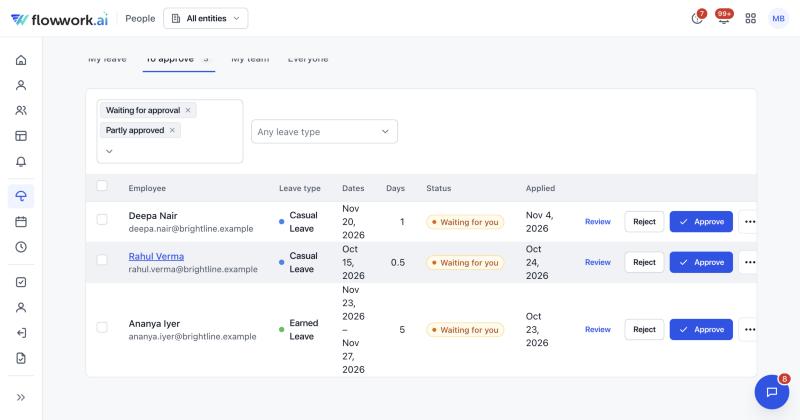
When someone asks for leave and names you as their approver, the request waits for you on the To approve tab. Approve it from the list, or open it to see their balance, who else is off and nearby holidays first. Reject it with a reason. Some leave types need two approvals: the approver first, then a second approver.
Who decides
- The employee's Approver is filled in from their reporting manager in People. People they add under Also approves can decide too. The employee can change both when applying.
- With one level, any one of them decides for everyone.
- With two-level approval (set on the leave type), the approver approves first. Then any of the second approvers approves. This applies only when the employee has additional reporting managers in their work details; otherwise one approval is enough.
- Any approver can reject at any stage.
- HR can't approve or reject leave they aren't an approver of. HR can cancel it. See Apply for leave.
Read the full guide with your flowwork account
The rest of this page has the steps, screenshots and tips. Anyone at a company that uses flowwork can read every page, and ask the Help assistant about it.
Every step, in order Real screenshots The agents that help
New companies use flowwork free until 31 December 2026