
PeopleSettings
Departments
Departments group your employees, for example Engineering with Backend and Frontend under it. You pick a department on each employee's job details, and the dashboard, org chart and reports use them. Here you add departments and sub-departments, and see them as a list or a chart.
Before you start
- You need Manage departments. Without it, the page says you don't have access. See Who can do what.
- Go to People › Settings › Departments.
The list
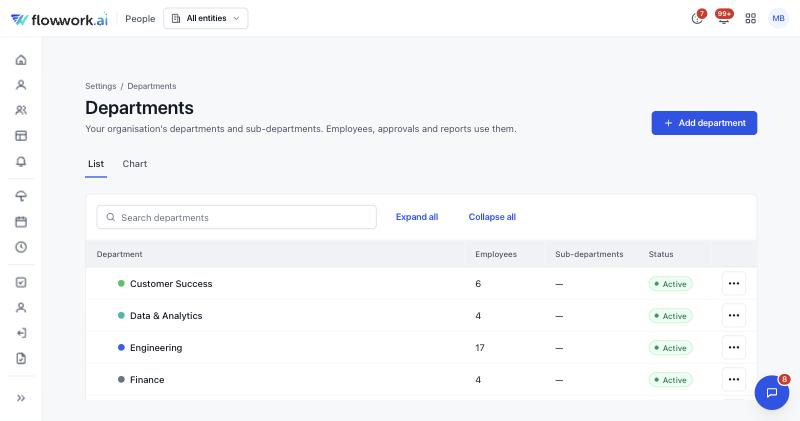
The List tab shows top-level departments with their sub-departments indented under them. Each row has:
- Department, with its colour,
- Employees: how many people have it as their main department,
- Sub-departments: how many sit directly under it,
- Status: Active or Inactive.
Use the arrow next to a name to open or close it, or Expand all and Collapse all. Search departments finds names and shows them with the departments above them.
Read the full guide with your flowwork account
The rest of this page has the steps, screenshots and tips. Anyone at a company that uses flowwork can read every page, and ask the Help assistant about it.
Every step, in order Real screenshots The agents that help
New companies use flowwork free until 31 December 2026