
PeopleStart here
The People dashboard
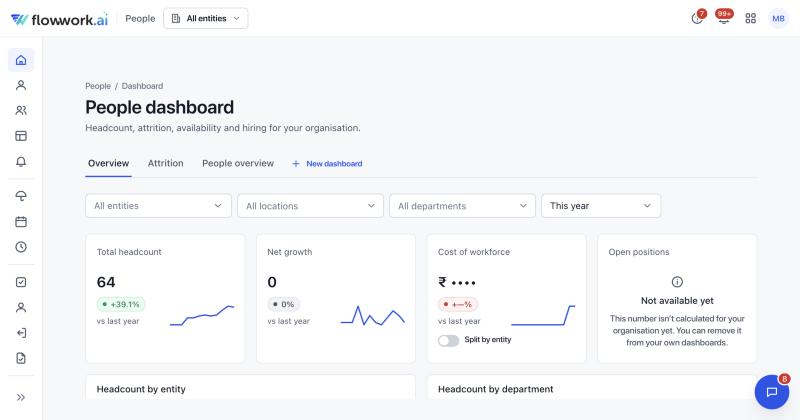
The People dashboard shows your workforce in charts and numbers: headcount, joiners and leavers, attrition, who is on leave, and more. You can look at the built-in dashboards, and build your own with the widgets you need.
Before you start
- Everyone can open People › Dashboard, but what you see depends on your permissions:
- The built-in Overview and Attrition dashboards need permission to view the overview dashboard.
- Creating and changing your own dashboards needs permission to manage dashboards.
- Without either, you see No dashboards yet and "Ask your HR team to set up a dashboard for you."
- See Who can do what.
The dashboards
Each dashboard is a tab. On a phone, you pick it from a list instead.
- Overview (built in): Total headcount, Net growth, Cost of workforce, Open positions, Headcount by department, Headcount by location, Headcount trend and Employment type.
- Attrition (built in): Attrition rate, Voluntary attrition, Early attrition (0–90 days), Attrition trend, Attrition by department, Attrition by exit reason and Attrition by tenure.
- Your own dashboards, after the built-in ones. You only ever see dashboards you created. Nobody else sees them, and you can't share them.
The built-in dashboards can't be renamed, changed or deleted.
Read the full guide with your flowwork account
The rest of this page has the steps, screenshots and tips. Anyone at a company that uses flowwork can read every page, and ask the Help assistant about it.
Every step, in order Real screenshots The agents that help
New companies use flowwork free until 31 December 2026