
PeopleLeave and holidays
Leave assignments and balances
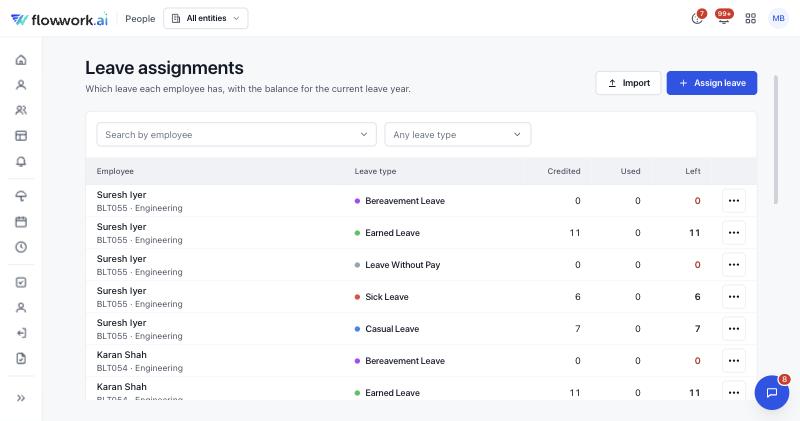
A leave assignment gives one employee one leave type with a fixed number of days, and holds their balance: credited, carried forward, adjusted, used and left. Here you give leave types to people, add or remove days, import opening balances, and see every credit and debit of one balance.
Before you start
- To change anything, you need the permission to manage leave assignments. With the permission to see others' balances, you can look but not change. See Who can see what.
- Only Fixed leave types are assigned. Flexible types (maternity, loss of pay) apply by their rules. See Leave types.
Find a balance
- Go to People › Settings and select Leave assignments.
- Filter by Employee and Leave type.
- Each row shows Credited, Used and Left. Select the name to open it.
The assignment page shows Left, Credited, Carried forward, Adjusted, Used, Pending, Expired and Encashed, and a Ledger of every entry, newest first.
Read the full guide with your flowwork account
The rest of this page has the steps, screenshots and tips. Anyone at a company that uses flowwork can read every page, and ask the Help assistant about it.
Every step, in order Real screenshots The agents that help
New companies use flowwork free until 31 December 2026