
PeopleEmployees
Edit a profile
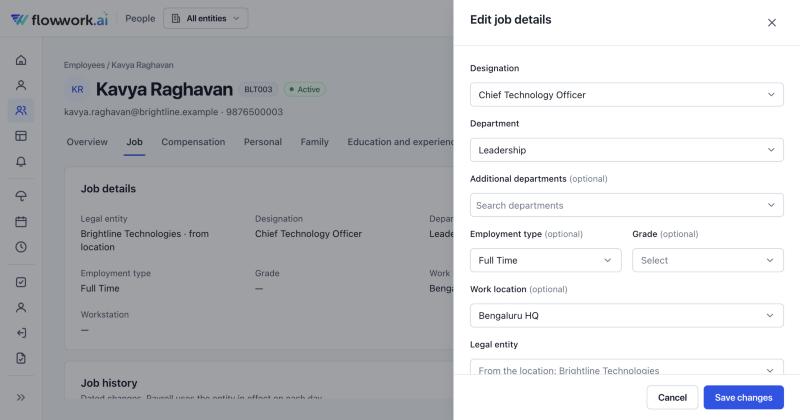
As HR, you change an employee's details one card at a time. Each card on a profile tab has its own Edit button that opens a panel for just that card. Your changes save straight away and are recorded in History.
Before you start
- You need the permission to update employees. Without it, cards have no Edit button.
- The Bank tab needs the permission to see sensitive employee data, or the permission to update employees.
- The Exit tab can be edited by people who can update employees or manage offboarding.
- On your own profile, the same cards save directly too, because you can update employees. See My profile for how employees ask for changes.
Overview: basic details and photo
- On Overview, select Edit on Basic details.
- Change Title, Gender, First name, Middle name, Last name, Country code, Mobile, Date of joining, Date of confirmation or Status.
- Select Save changes.
Under Profile photo, select Upload photo or Change photo (JPG, PNG or SVG, up to 10 MB), or Remove.
Read the full guide with your flowwork account
The rest of this page has the steps, screenshots and tips. Anyone at a company that uses flowwork can read every page, and ask the Help assistant about it.
Every step, in order Real screenshots The agents that help
New companies use flowwork free until 31 December 2026