
Document types
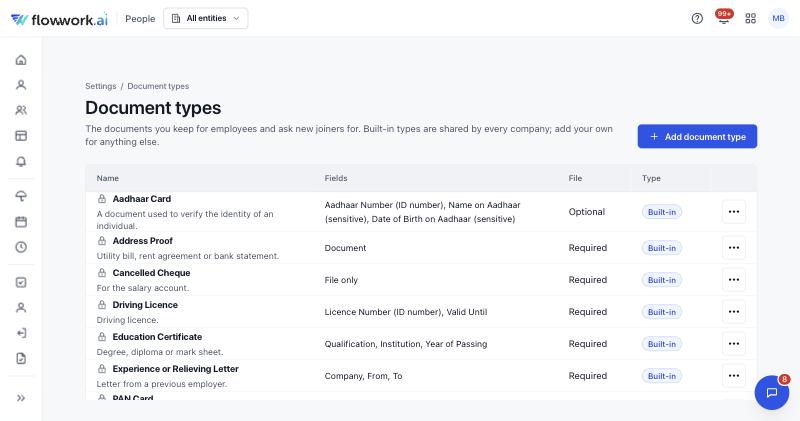
Document types are the kinds of documents you keep for employees, such as a passport or a driving licence, and ask new joiners to upload. Each type says which details people fill in and whether a copy of the file is needed. flowwork comes with built-in types. Here you see them and add your company's own.
Before you start
- You need the Access settings permission to open the page and to add, edit or delete types. See Who can do what.
- Go to People › Settings › Document types.
What the list shows
Each row shows:
- Name: the type's name and description.
- Fields: the details people fill in, such as "Passport Number (ID number)" or "File only".
- File: whether a copy of the file is Required or Optional.
- Type: Built-in or Custom.
Built-in types come first, by name, with a lock icon. They are the same for every company, for example Aadhaar Card, PAN Card, Passport, UAN, Driving Licence, Education Certificate, Experience or Relieving Letter, Payslip, Address Proof and Cancelled Cheque. Your company's own types follow, by name.
Read the full guide with your flowwork account
The rest of this page has the steps, screenshots and tips. Anyone at a company that uses flowwork can read every page, and ask the Help assistant about it.