
PayrollAgents in Payroll
Tax planner
For employees. Ask "which regime is better for me?", "how much tax will I pay this year?" or "how can I save tax?". The planner uses Payroll's own tax calculation with your salary, this year's payslips and your declaration. It can draft a change to your tax declaration, which is saved only when you confirm and only while the declaration window is open. It names deduction sections and their limits only: it isn't investment advice.
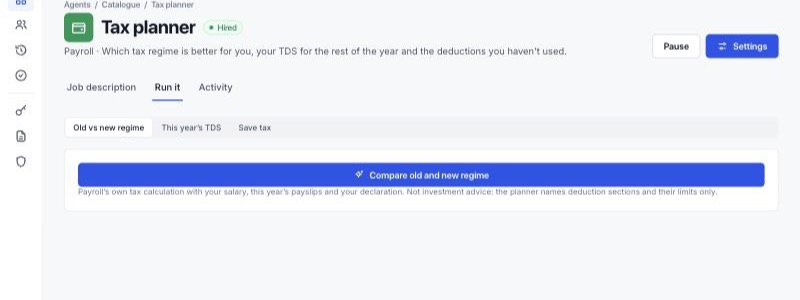
Before you start
- The agent must be hired for your company, and you must be allowed to use it.
- Your login must be linked to your employee record. Otherwise you see "Your account isn’t linked to an employee record".
- It only ever reads your own salary, payslips and declaration.
Compare the regimes
- Open Agents › Catalogue › Tax planner and select Run it.
- Under What to look at, select Old vs new regime.
- Select Compare old and new regime.
- Read the badges (which regime you're in, and which is lower by how much) and the Tax for … table: Gross income, Exemptions, Deductions, Taxable income, Tax for the year, Already deducted and TDS per month from now, for both regimes.
- If the other regime is lower and the window is open, you can select Draft the switch to the old regime (or new regime).
Read the full guide with your flowwork account
The rest of this page has the steps, screenshots and tips. Anyone at a company that uses flowwork can read every page, and ask the Help assistant about it.
Every step, in order Real screenshots The agents that help
New companies use flowwork free until 31 December 2026