
PayrollPay runs
Loss of pay and other inputs
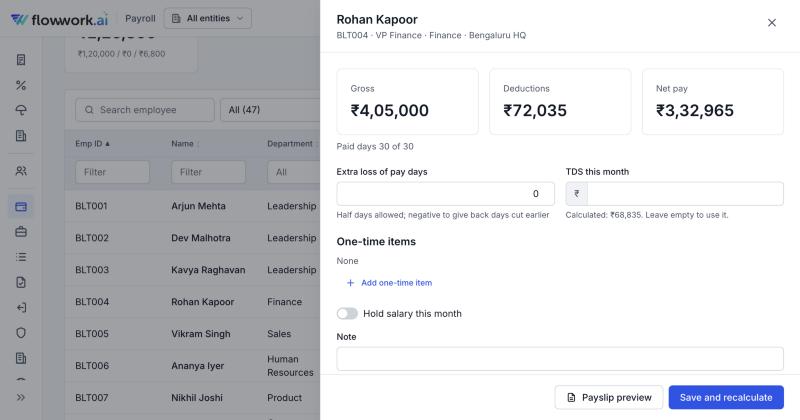
Before you submit a run, you can change one employee's pay for the month: loss of pay days, TDS, variable pay, one-time earnings or deductions, a hold and a note. You can also refresh the whole run from People.
Before you start
- You need Run payroll or Approve payroll.
- The run must be a Draft.
How loss of pay is worked out
- Unpaid leave from People: approved unpaid leave days in People › Leave for the month, half days included. The panel lists their dates.
- Extra loss of pay days: days you add by hand in the run.
- Loss of pay days = unpaid leave + extra days. Paid days = days employed in the month − loss of pay days.
- A day's pay depends on Part-month salary is worked out on in Settings › Pay schedule: Actual days in the month (28–31) (the default) or Always 30 days. See Pay schedule.
- The same rule pays joiners and leavers for the days they were employed.
- Salary components can be set so loss of pay doesn't reduce them. Those are paid for all employed days. See Salary components.
- Attendance (late marks, missed check-ins) isn't used.
Read the full guide with your flowwork account
The rest of this page has the steps, screenshots and tips. Anyone at a company that uses flowwork can read every page, and ask the Help assistant about it.
Every step, in order Real screenshots The agents that help
New companies use flowwork free until 31 December 2026