
PayrollMy pay
Start or change my voluntary PF
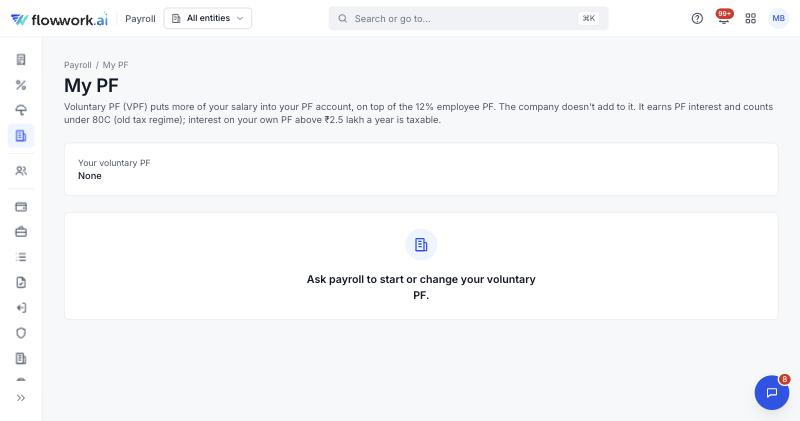
Voluntary PF (VPF) puts more of your salary into your PF account, on top of the 12% employee PF. The company doesn't add to it. It earns PF interest and counts under 80C in the old tax regime. In My PF you see your current VPF and, if your company allows it, ask to start, change or stop it.
Before you start
- Every employee can open My PF.
- You must be a PF member. If you aren't, you see You aren't a PF member, so voluntary PF can't be deducted.
- Your company must let employees ask in My PF. If not, you see Ask payroll to start or change your voluntary PF.
Steps
- In Payroll, go to Me › My PF.
- In Change, choose % of my PF wage, A fixed amount a month (if your company allows it) or Stop voluntary PF.
- Enter the Voluntary PF % or the Amount a month. The % can be up to the company's limit (100% of your PF wage, Basic + DA, by default).
- Set From pay month: this month or later.
- Add a Note for payroll if you like.
- Select Send to payroll. If your company doesn't need approval, the button says Save.
Read the full guide with your flowwork account
The rest of this page has the steps, screenshots and tips. Anyone at a company that uses flowwork can read every page, and ask the Help assistant about it.
Every step, in order Real screenshots The agents that help
New companies use flowwork free until 31 December 2026