
PayrollMy pay
Request and approve pay items for your team
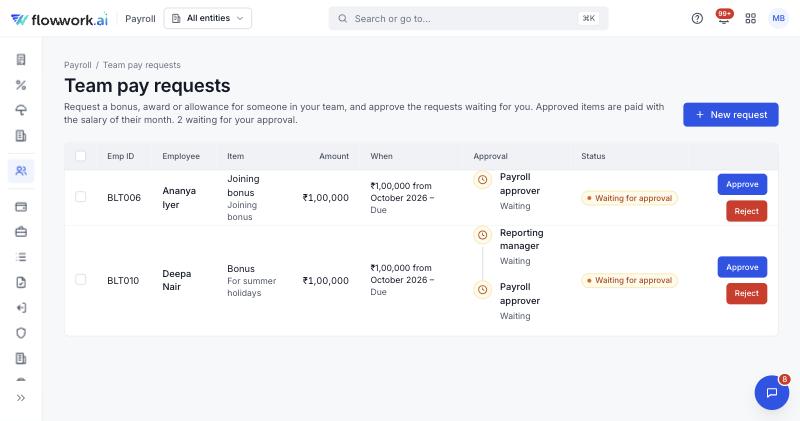
If people report to you, Team › Team requests lets you ask payroll to pay one of them a bonus, an award or an allowance, and approve the requests that need a reporting manager's OK. Approved items are paid with the salary of their month.
You don't need any payroll permission for this. Being someone's reporting manager in People is enough.
Before you start
- Your direct reports must have you as their reporting manager in People. If nobody reports to you, the page says Nothing to request or approve.
- You can only request the types your payroll team allows managers to request. By default those are Bonus, Award, Night shift allowance, Saturday / holiday work allowance and Overtime. If there are none, New request doesn't show.
Request a pay item
- Go to Team › Team requests.
- Select New request.
- In Employee, choose someone who reports to you.
- In Type, choose the type. The hint shows its approval.
- Enter the Amount. Some types have a highest amount.
- Choose From pay month. If the type allows instalments, enter Instalments.
- Add a Reason, for example "Covered night shifts in the release week".
- Select Send for approval (or Add if the type needs no approval). You see "Request sent".
Your own step is approved straight away, marked "Requested by the reporting manager". If the type needs only the reporting manager, the item is approved at once. If it also needs payroll, it waits for a payroll approver.
Read the full guide with your flowwork account
The rest of this page has the steps, screenshots and tips. Anyone at a company that uses flowwork can read every page, and ask the Help assistant about it.
Every step, in order Real screenshots The agents that help
New companies use flowwork free until 31 December 2026