
PayrollEmployees and salaries
Set up or revise a salary
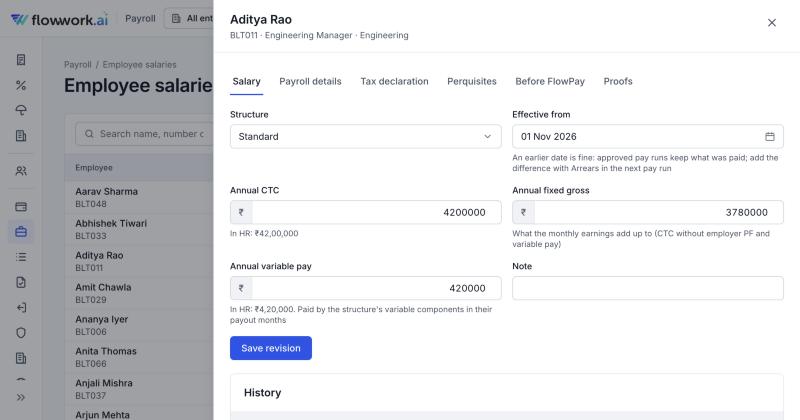
Payroll pays an employee only once they have a salary in payroll. A salary is a structure, an annual CTC and a date it applies from. You can give everyone their first salary from their CTC in People in one go, and then revise one person at a time when their pay changes.
Before you start
- You need Run payroll or Approve payroll. Others can open the Salary tab but only see the history.
- You need at least one active salary structure. See Salary structures.
- To set up from HR, employees need an annual CTC in their compensation in People.
Set up salaries from HR
Use this the first time, or when new people have joined.
- Go to Payroll › Employees.
- Select Set up from HR (n). The number is how many people have no salary yet. The button doesn't show when everyone has one.
- In Structure, choose the structure for everyone. If some structures are set as defaults for pay groups or employment types, you can also choose Each employee's default structure.
- In Effective from, choose the date. It's the first of this month unless you change it. People who joined later get their joining date.
- Select Set up.
- Read the result: how many salaries were set up, and who was Skipped and why. Select Close.
How each salary is filled from People:
- Annual CTC is the CTC in People.
- Annual fixed gross is the fixed pay in People. If there's none, or it's more than the CTC, it's the CTC less variable pay and employer contributions. If that comes to zero, it's the CTC.
- Annual variable pay is the variable pay in People, if it fits in the CTC next to the gross.
People are skipped when they have no CTC in People, or when you chose default structures and none applies to them. Anyone who already has a salary in payroll, even an old one, is not changed.
Read the full guide with your flowwork account
The rest of this page has the steps, screenshots and tips. Anyone at a company that uses flowwork can read every page, and ask the Help assistant about it.
Every step, in order Real screenshots The agents that help
New companies use flowwork free until 31 December 2026