
PayrollEmployees and salaries
Set an employee's payroll details
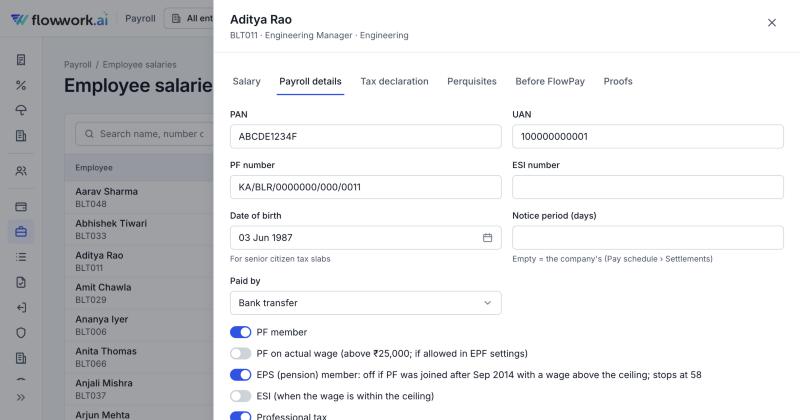
Each employee's Payroll details tab holds what payroll needs besides the salary: PAN, UAN, PF and ESI numbers, date of birth, which statutory deductions apply, how they're paid, a pay group pin, employer NPS, voluntary PF and superannuation. Most people need only PAN and UAN; the switches are on by default.
Before you start
- You need Run payroll or Approve payroll to change payroll details. With View payroll or Manage payroll settings you see them read-only.
- To see PANs in full you also need View employee payroll sensitive data.
Steps
- Go to Payroll › Employees and select the employee.
- Open the Payroll details tab.
- Fill in or change the fields (see below).
- Select Save. You see "Payroll details saved".
Read the full guide with your flowwork account
The rest of this page has the steps, screenshots and tips. Anyone at a company that uses flowwork can read every page, and ask the Help assistant about it.
Every step, in order Real screenshots The agents that help
New companies use flowwork free until 31 December 2026