
PayrollStatutory
Set up ESI (employees' state insurance)
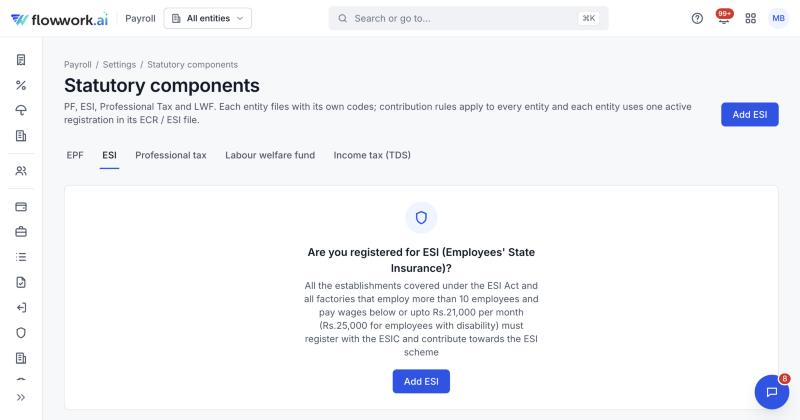
The ESI tab of Settings › Statutory components holds your ESI contribution rates and your ESIC registrations. Pay runs deduct the employee's ESI and add the employer's ESI for employees whose ESI wage is within the limit.
Before you start
- You need Manage payroll settings to add or change ESI. Others with payroll access can read the tab, but the server refuses their changes.
- Have your ESIC registration ready: the name, registration date and registration number of each establishment.
- Mark which earnings count towards the ESI wage in Salary components. New components count by default.
Steps
- Go to Settings › Statutory components and open the ESI tab.
- If ESI isn't set up, you see Are you registered for ESI (Employees' State Insurance)?. Select Add ESI.
- On Basic details, type the Employee contribution rate and the Employer contribution rate. The fields start at 0%, so type the current rates yourself (0.75% and 3.25% at the time of writing).
- Answer Is employer's contribution of ESI part of employees CTC, then select Next.
- Under ESI statutory details, add each establishment's name, registration date and registration number.
- Select Add ESI. You see "Save was successful".
To change the rates later, open the Configurations tab and select Save changes. Registrations are on the Filing details tab and are saved one by one.
Read the full guide with your flowwork account
The rest of this page has the steps, screenshots and tips. Anyone at a company that uses flowwork can read every page, and ask the Help assistant about it.
Every step, in order Real screenshots The agents that help
New companies use flowwork free until 31 December 2026