
PayrollPay runs
The pay run page
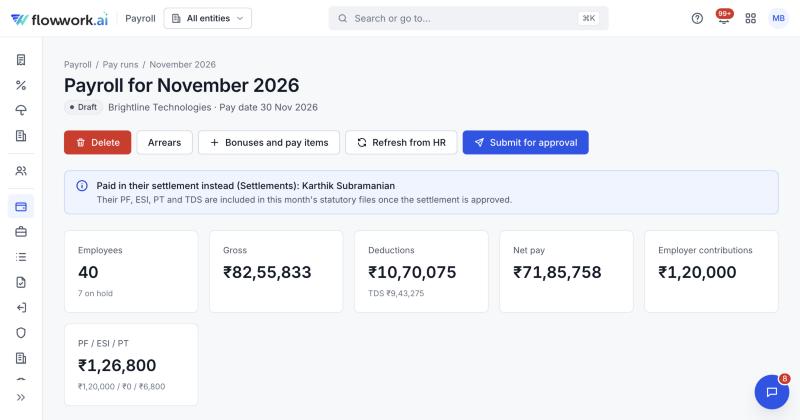
The pay run page shows one run: its totals, every employee's pay, and the buttons for the run's next step. Open it from Pay runs by selecting a run.
Before you start
- Anyone with View payroll, Manage payroll settings, Run payroll or Approve payroll can open a run and see every employee's pay in it.
- To change a run you need Run payroll or Approve payroll. The closing steps (approve, send back, reopen, mark as paid, publish payslips) need Approve payroll.
What's at the top
- Title: "Payroll for (month)" for a regular run, or the run's name for an off-cycle, mid-month or reimbursements run.
- Status: Draft, Awaiting approval, Approved or Paid, the pay date, and payslips published once they are.
- Summary cards: Employees (and how many are on hold), Gross, Deductions (with the TDS total), Net pay, Employer contributions, and PF / ESI / PT. People on hold aren't counted in these totals.
- An accounting card, if your company posts payroll to its books. See Accounting.
Read the full guide with your flowwork account
The rest of this page has the steps, screenshots and tips. Anyone at a company that uses flowwork can read every page, and ask the Help assistant about it.
Every step, in order Real screenshots The agents that help
New companies use flowwork free until 31 December 2026